#include "gBaseWindow.h"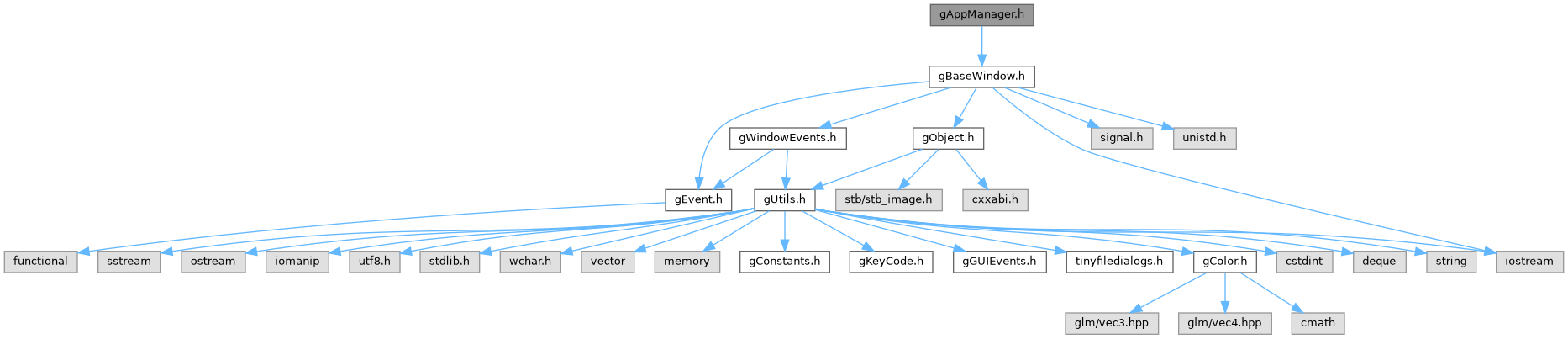
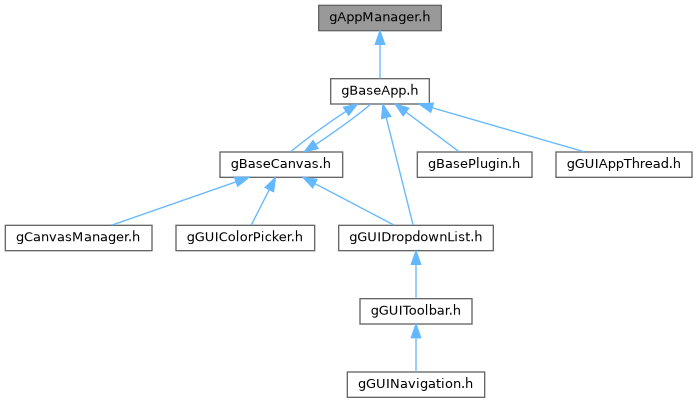
Go to the source code of this file.
Classes | |
| class | gAppManager |
Functions | |
| void | gStartEngine (gBaseApp *baseApp, const std::string &appName, int windowMode, int width, int height, bool isResizable=true) |
| void | gStartEngine (gBaseApp *baseApp, const std::string &appName, int windowMode, int unitWidth, int unitHeight, int screenScaling, int width, int height, bool isResizable=true) |
| void | gStartEngine (gBaseApp *baseApp, const std::string &appName, int loopMode) |
Variables | |
| gAppManager * | appmanager |
Function Documentation
◆ gStartEngine() [1/3]
| void gStartEngine | ( | gBaseApp * | baseApp, |
| const std::string & | appName, | ||
| int | loopMode | ||
| ) |
Creates a windowless console/service app.
Developers should not forget to remove all calls to Canvas classes, plugins and other rendering elements from the code and from the CMakeLists.
The app's loop mode can be one of G_LOOPMODE_NORMAL and G_LOOPMODE_NONE.
If the loopmode is G_LOOPMODE_NONE and if the developer needs a component to update, update() function should be called manually.
◆ gStartEngine() [2/3]
| void gStartEngine | ( | gBaseApp * | baseApp, |
| const std::string & | appName, | ||
| int | windowMode, | ||
| int | unitWidth, | ||
| int | unitHeight, | ||
| int | screenScaling, | ||
| int | width, | ||
| int | height, | ||
| bool | isResizable = true |
||
| ) |
Sets the app settings for engine according to given name, mode of window, application window's widh and height. Beside that, this is an overrided method of gStartEngine, user should give scaling and unit parameters addition to the baseApp object, app name, windowmode, width and height.
Users are encouraged to use this function if they want to scale the output.
- Parameters
-
baseApp Current app object. appName Name of the application. windowMode Type of the application window. This parameter can be one of G_WINDOWMODE_GAME, G_WINDOWMODE_APP, G_WINDOWMODE_FULLSCREEN, G_WINDOWMODE_GUIAPP and G_WINDOWMODE_FULLSCREENGUIAPP. This value can not be G_WINDOWMODE_NONE as the app needs a window to work. The developer who needs a windowless console app should use other gStartEngine function. This function defaults to G_WINDOWMODE_APP in case of no window. unitWidth width of the developer's application window. The resolution can differ from developer to user. GlistEngine has scaling methods. User and developer can have different resolutions, but the engine can adapt to users resolution by scaling. Thus, unitWidth is developer's unit width. unitHeight height of the developer's application window. The resolution can differ from developer to user. GlistEngine has scaling methods. User and developer can have different resolutions, but the engine can adapt to users resolution by scaling. Thus, unitHeight is developer's unit height. screenScaling how much everything should be enlarged when measured in pixels. width application window's width to be shown on the user's computer. User should choose this parameter suitable according to their screen resolution to prevent distorted images. Please note that some operating systems may scale the framebuffer and create a bigger window than the developer's value. height application window's width to be shown on the user's computer. User should choose this parameter suitable according to their screen resolution to prevent distorted images. Please note that some operating systems may scale the framebuffer and create a bigger window than the developer's value.
◆ gStartEngine() [3/3]
| void gStartEngine | ( | gBaseApp * | baseApp, |
| const std::string & | appName, | ||
| int | windowMode, | ||
| int | width, | ||
| int | height, | ||
| bool | isResizable = true |
||
| ) |
Sets the app settings for the engine according to given name, mode of window, application window's widh and height. Then calls the runApp method to give output to the screen. GlistEngine has scaling methods. User and developer can have different resolutions, but the engine can adapt to users resolution by scaling. In this function, screen scaling is done automatically by the Engine. If developers want to set the scaling, they are encouraged to use overrided gStartEngine function instead.
- Parameters
-
baseApp Current app object. appName Name of the application. windowMode Type of the application window. This parameter can be one of G_WINDOWMODE_GAME, G_WINDOWMODE_APP, G_WINDOWMODE_FULLSCREEN, G_WINDOWMODE_GUIAPP and G_WINDOWMODE_FULLSCREENGUIAPP. This value can not be G_WINDOWMODE_NONE as the app needs a window to work. The developer who needs a windowless console app should use other gStartEngine function. This function defaults to G_WINDOWMODE_APP in case of no window. width application window's width to be shown on the user's computer. User should choose this parameter suitable according to their screen resolution to prevent distorted images. Please note that some operating systems may scale the framebuffer and create a bigger window than the developer's value. height application window's width to be shown on the user's computer. User should choose this parameter suitable according to their screen resolution to prevent distorted images. Please note that some operating systems may scale the framebuffer and create a bigger window than the developer's value.
Variable Documentation
◆ appmanager
|
extern |